Stay Safe on Roblox
Get instant safety warnings about inappropriate Roblox users before you interact with them through this extension's real-time alerts.
Trusted by Communities
Real feedback from teams using Rotector to protect their platforms
Instant results from day one
Protecting the Roblox audio space is a top priority for us. Since integrating Rotector, we saw instant results. Within the first week, several individuals were automatically blocked from accessing our platform. Rotector is now an essential part of how we protect the ecosystem, especially our youngest users.
An essential part of our toolkit
Our community is always searching for high-quality tools that keep our players safe, and quite frankly, I can't think of many better than Rotector. We've made great use of its API in our internal tools to flag and track suspicious users, and its appeal policies have made us confident in the legitimacy of its detections. Nothing but a positive experience!

Catching what we couldn't catch
We're closely connected to the clanning scene and have always prioritized safety, but Rotector lets us flag things we couldn't catch with our internal resources alone. We use the API to remove members flagged for serious violations, and it's given our group leaders the tools to better protect their communities.

Powerful Features for Safer Roblox
Explore features that keep your community safer without extra setup.
Instant Analysis
Safety indicators appear automatically as you browse Roblox. Works across all pages including profiles, friends lists, and groups with zero setup required.
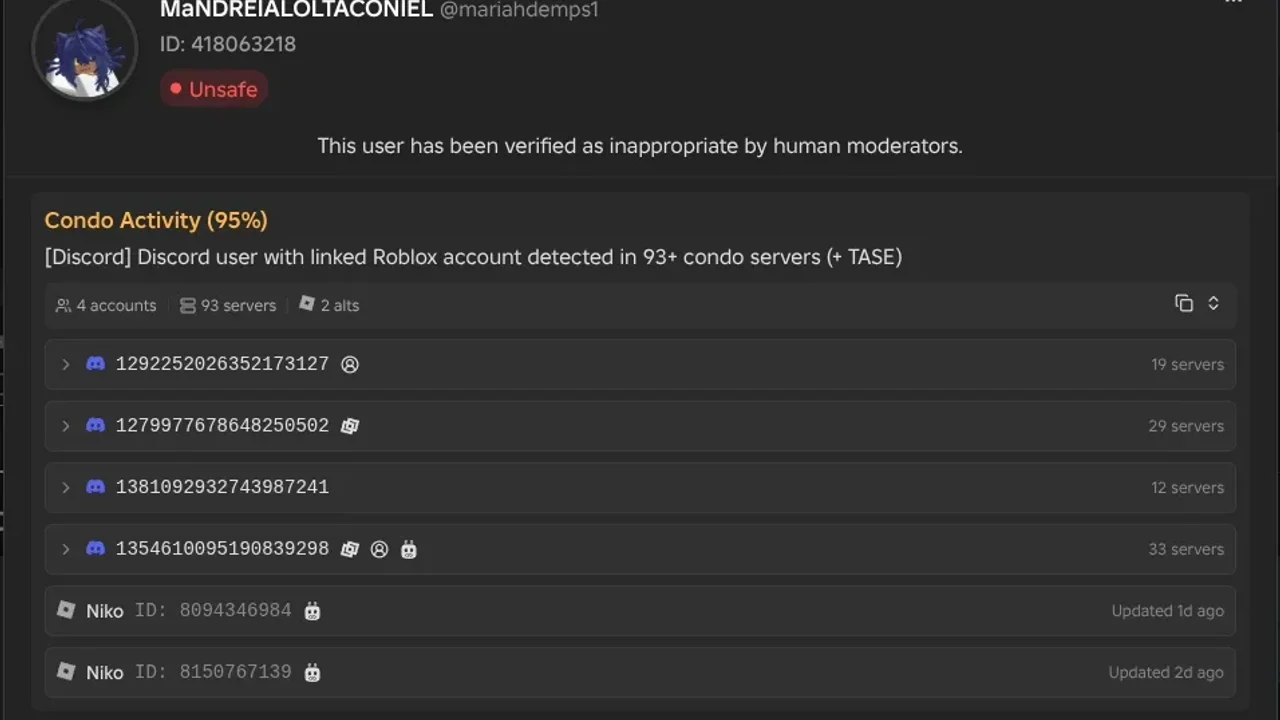
Condo Detection
Identify Roblox accounts of condo players discovered through Discord servers and uncover their alt accounts. Cross-platform detection ensures bad actors can't hide behind alternate identities.
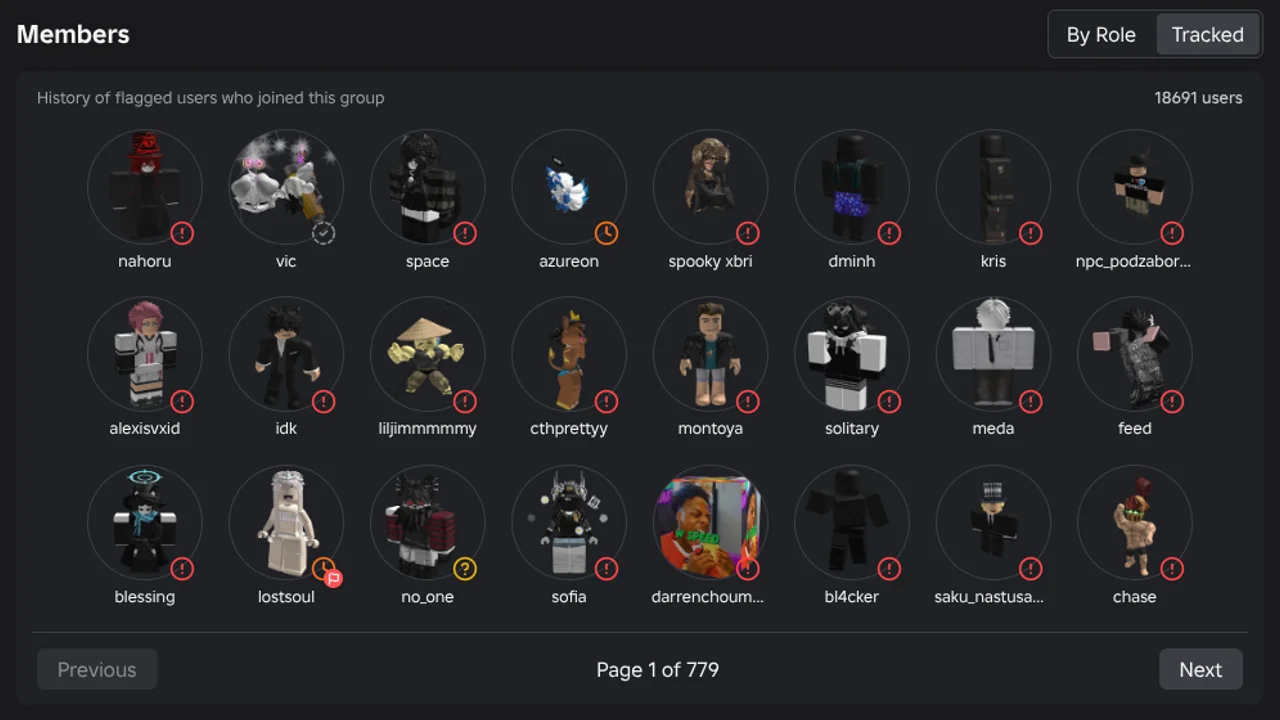
Group Tracking
See the history of flagged users who have joined any group, even when the member list is hidden. Every group gets a track record so you always know what you're dealing with.
Queue System
Found someone suspicious who isn't in our database? Queue them for analysis with a single click. Results appear within minutes if violations are detected.
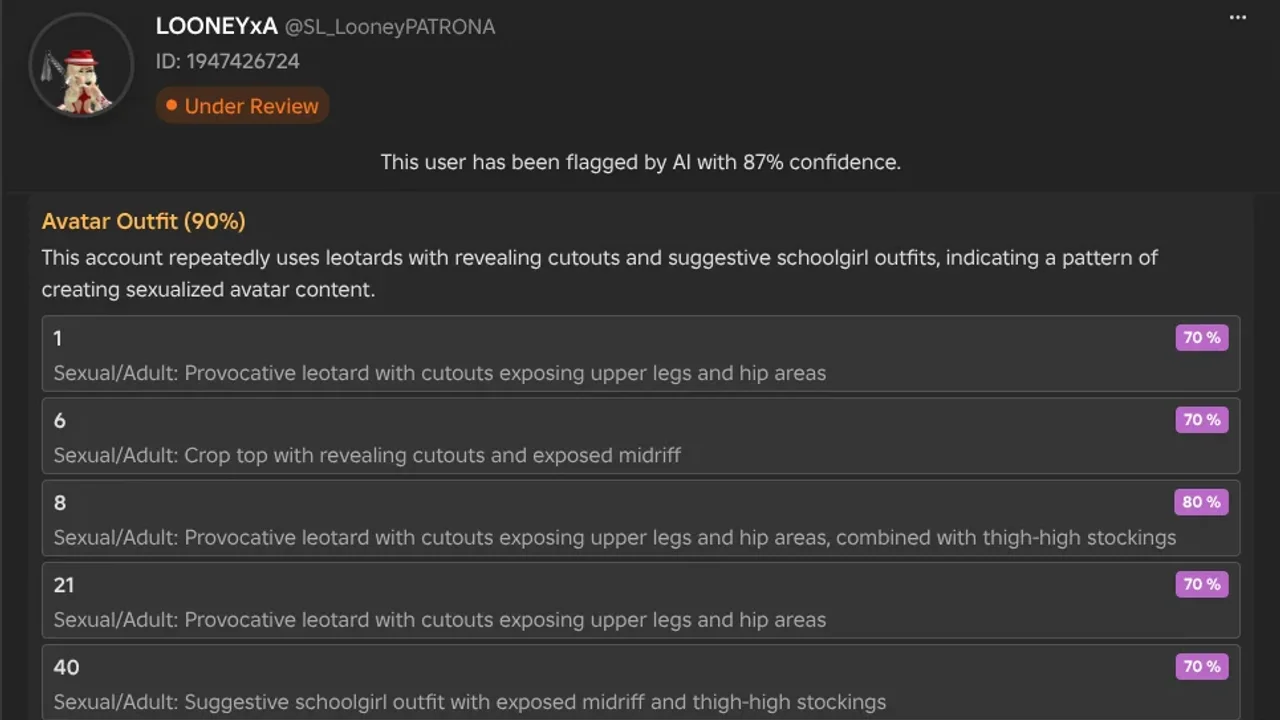
Outfit Detection
Roblox avatars are scanned for inappropriate outfits, detecting revealing clothing patterns and suggestive combinations with confidence scoring.
Smart Customization
Tailor Rotector to your needs through the extension popup. Switch themes, control which pages show indicators, and toggle advanced tooltip details or third-party integrations.
Third Party Sources
Connect the fragmented safety community by integrating data from other initiatives like BloxDB. Their indicators appear alongside ours, giving you comprehensive protection in one tool.
Auto Report Forms
Skip the tedious report writing. Rotector automatically fills violation reports with clear, compliant language that helps Roblox moderators take swift action.
Vote on Users
Keep our database accurate by voting on flagged users. Your input helps verify whether safety alerts are legitimate since AI isn't perfect.
Built for Speed
Every release goes through thorough benchmarking to make sure the extension never slows down your browser. Lightweight by design so it stays out of your way while keeping you protected.
How It Works
We check Roblox accounts for safety risks through a simple four-step process that combines AI technology with human oversight.
Scanning User Profiles
Our system scans publicly available information from user profiles, including usernames, bios, friend lists, and group memberships to get a complete picture.

hey everyone!! i love playing obbys and building stuff with my friends. add me if you wanna play sometime, always looking for new people to hang out with!
AI Safety Check
Our AI looks through the profile data to spot potential safety issues and inappropriate content that might put kids at risk.
 eviljaxron Under Review
 This user has been flagged by AI with 87% confidence.
Description uses coded terms to solicit private interactions and contains off-platform contact details to evade moderation.
Dense connections to users promoting explicit content, with high-density links to confirmed flagged accounts targeting minors.
Memberships in groups centered on explicit content sharing, condo game coordination, and predatory networking.
Human Verification
Real people review what the AI finds to make sure we got it right. They look at the bigger picture and make the final call on whether an account is actually risky.

Reviewed by sykrium
Sharing Results
Once we've checked an account, we share the results through our browser extension and Discord bots so parents and communities can stay protected.
hey everyone!! i love playing obbys and building stuff with my friends. add me if you wanna play sometime, always looking for new people to hang out with!
This user has been flagged as unsafe by Rotector.
A Different Approach to Safety Detection
Community initiatives laid the groundwork. AI takes it further.

Initiative X
Community-driven, manual review


AI-assisted detection, human oversight
Relies on traditional keyword matching for profile and outfit detection
Uses AI to understand context and catch nuances that keyword matching misses
Reviewers manually go through flagged users one by one
AI scans and flags users automatically, then human reviewers verify the results
Focuses on Roblox users only
Flags Roblox users, Roblox groups, Discord users, and Discord servers
Private API for opt-in games, returns limited data like a confidence score and reason
Public API with detailed data for developers, plus a browser extension on every Roblox page
Private database and API that can't be independently verified by the public
Public database, open Discord community, and verifiable detection results
Generic one-line reasons that often look copy-pasted across users
Generated descriptions tailored to each user's specific violations
Operates mostly independently from other safety initiatives
Works with TASE, BloxKIT, and others through a custom APIs feature in the extension
One-way form where most appeals go unanswered, with past appeals used as entertainment content
Livechat where you can actually have a back-and-forth conversation
Flagging decisions can be influenced by personal biases of those running the system
Detection based on behavioral data, not personal opinions
All flagged users fall under the same category with no distinction
Multiple flag types like Flagged, Confirmed, Mixed, and Past Offender with clear action guidance
No official channel for users to report suspicious accounts
Livechat and queue system where anyone can submit users for review
Lower operating costs but lower detection accuracy
Higher operating costs to achieve higher detection accuracy
500K+ accounts found through manual review
750K+ accounts identified and growing
Human Review in Action
See how our trained moderators work together to ensure accurate detection and protect communities
Frequently Asked Questions
Get answers to common questions about Rotector's safety detection capabilities and implementation.
For your own account: Use our live chat to dispute the flag.
For someone else's account: You can use the voting system in our tooltip to downvote bad suggestions (which helps improve our accuracy) or use our live chat to report the issue.
Ready to Make Online Communities Safer?
Join thousands of users already using Rotector to identify inappropriate accounts and create safer online environments.